

Teams gets video recaps of meetings in Swedish, more ways to review customer calls and more ways to customize meeting controls. Teams Phone Agent leaves preview, while Microsoft and Zoom plan better support for meetings across their platforms.
Here are the Teams updates since our September 21 article. The SharePoint updates have their own article.
Find cloud files as you attach them

You can now search for cloud files directly when attaching a file in Teams, without first finding the document elsewhere and returning to the chat. The main Teams search bar also shows matching apps and agents as you type.
On iOS and Android, the same emoji shortcuts as on desktop, such as :smile:, now work with suggestions as you type. Text highlighting is also clearer when writing in dark mode or high contrast. With Copilot, you can start a query from a message or selected text, using the conversation as context. Windows also gets customizable single-key shortcuts for actions such as replying to, editing and saving the selected message.
These updates are covered in Microsoft’s August–September roundup, published in October.
Forms and multiple steps in Workflows
When building a workflow from scratch, you can now add several steps at once. With List Form, a flow can start with a form, so an order or fault report, for example, includes the required details from the start. Read more on Microsoft Tech Community.
Video recaps support meetings in Swedish
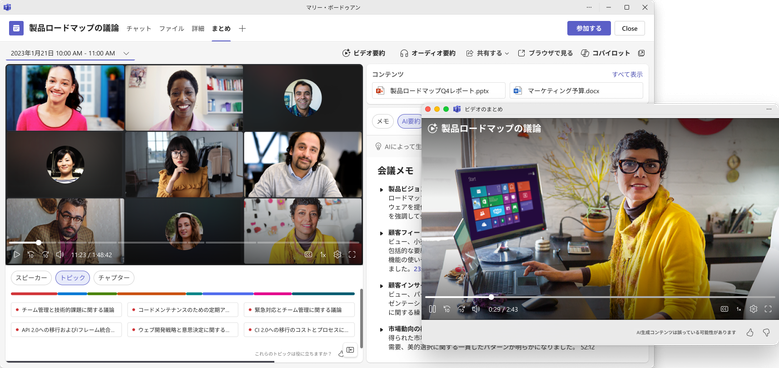
Video recap combines short clips from the meeting recording with AI-generated narration. Unlike a text-only summary, it can also include presentations and other visual content. Swedish is among the supported languages.
The feature requires Microsoft 365 Copilot. Teams Premium alone is insufficient. The meeting must be recorded in the cloud, transcribed and between 10 and 90 minutes long. The video recap sits alongside the original recording and is available to anyone with access to it. Read Microsoft’s release roundup and the Video recap requirements.
Customize meeting controls
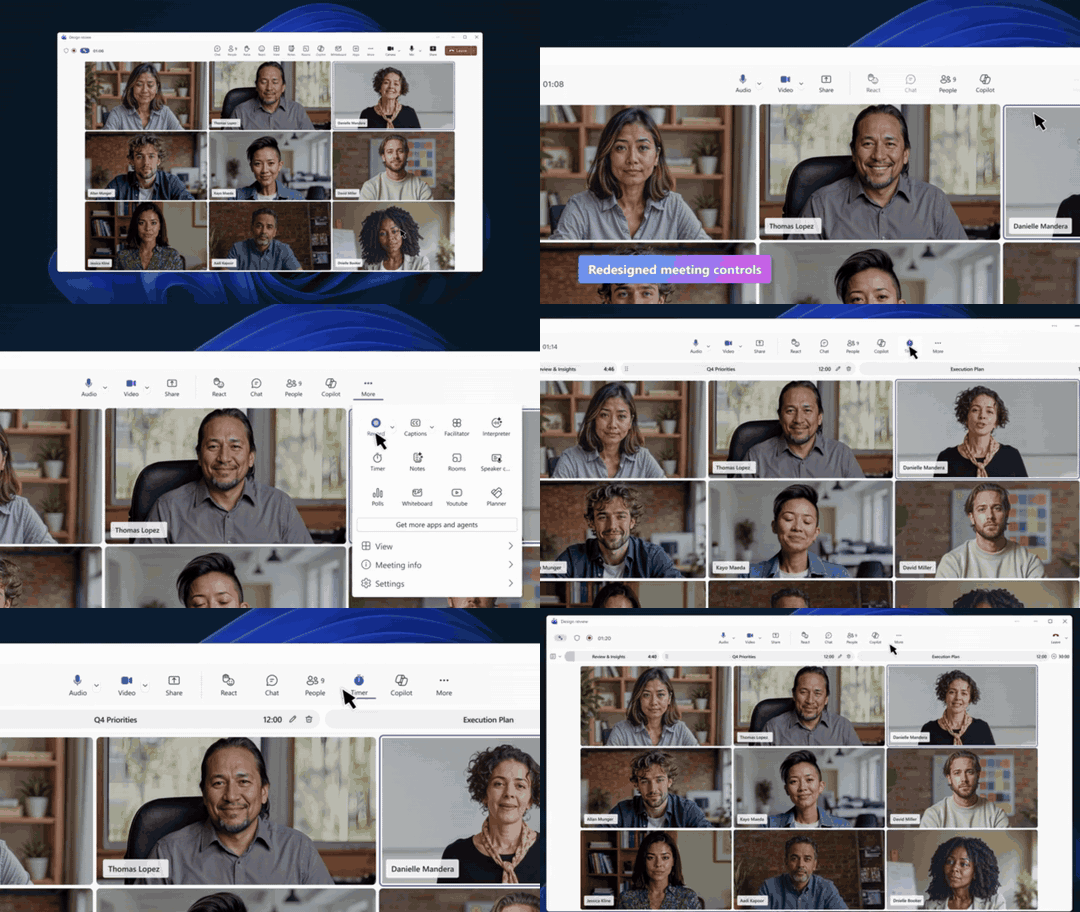
The meeting toolbar is customizable. You can pin the controls you use most, remove others from the toolbar and drag buttons into a different order. Raise hand moves under the reactions button, while Leave gets its own place on the right.
For larger training sessions and events, the breakout room limit rises from 300 participants in 50 rooms to 1,000 participants in 100 rooms. Event organizers can also choose who has access to production tools, including the green room and controls for what attendees see. Producers can enlarge the presenter panel and choose layouts that prioritize the speaker, the content or only the shared material. Read more on Microsoft Tech Community.
Teams Phone Agent answers in Swedish
Microsoft began the general rollout of Teams Phone Agent on September 30. The agent can answer questions using company FAQ files and URLs, handle bookings through configured integrations and transfer callers to a staff member with a call summary. Swedish, sv-SE, is on Microsoft’s list of supported languages.
For reception and support teams, this means common questions can be answered even when staff are busy or have gone home. Booking support includes Microsoft Bookings, but requires configuration. Teams Phone Agent requires Teams Phone, a resource account with a Teams Phone Resource Account license, Copilot Credits and a consumption policy. Usage-based costs depend on call duration and the features used.
The phone agent is rolling out generally, but its integration with the supervisor dashboard in Queues remains in public preview. Handoff to custom Copilot Studio agents is also in preview and requires specific enablement; Microsoft described it as Frontier at launch. Direct dialing of a custom agent, however, moved to public preview on October 22. Custom agent usage is billed separately under Copilot Studio’s pricing model. Read Microsoft’s launch announcement, the setup and language support details, the licensing requirements and the status of direct-dial agents.
Summaries and Copilot in Queues
In September’s article, we covered shared call history and follow-up in Queues. Microsoft now also describes intelligent recaps after recorded or transcribed queue calls. Users with Copilot can ask questions about recorded calls directly from the shared history. Shared voicemail from the auto attendant can also be managed in Queues.
Queues requires Teams Phone and Teams Premium for its users. IT controls who can see shared history, and conference mode must be enabled for the queue. See the Teams roundup, Queues licensing requirements and Queues user guide.
People using call delegation can now lock an ongoing call to prevent delegates from joining or resuming it. A warning tone can also play when a delegate joins. IT can customize certain recording and transcription announcements for Teams calls. Read more on Microsoft Tech Community.
IT gets participant logs from external meetings too
When an employee joins a Teams meeting hosted by another organization, their own organization now receives participant logs for that user. Previously, these details went only to the organizer’s organization. The log entries also include organizer information, helping IT distinguish internal meetings from external ones during an incident investigation. This does not provide access to all other participants’ details. Audit logging must be enabled, and retention depends on the license. See the Teams roundup and Microsoft’s description of MeetingParticipantDetail.
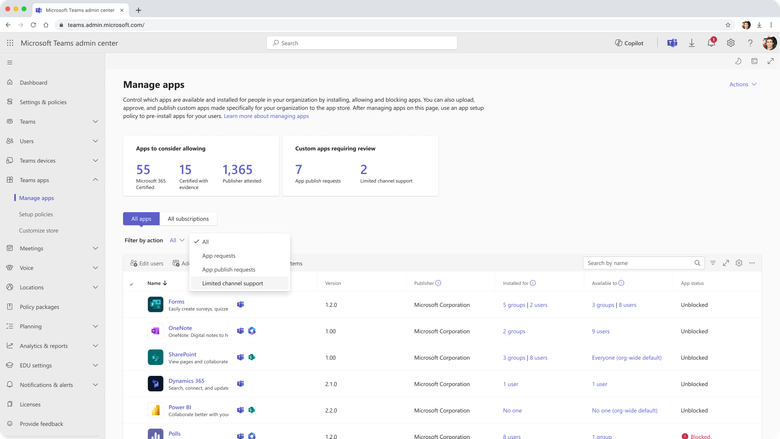
Teams admin center can also show which of the organization’s custom apps need updating for private and shared channels, giving IT a specific list to pass to developers. App and agent installations are also coordinated between Teams admin center and Microsoft 365 admin center, so changes can take effect in Teams, Outlook and Microsoft 365 Copilot. IT also gets a unified view for monitoring and troubleshooting meetings and calls. Real-time alert rules can be copied, have users added through bulk upload and cover up to 500 users in total. Read more on Microsoft Tech Community.
Teams Events attendees connecting from a local Windows computer to a Windows virtual desktop now get optimized audio and video. Audio and video are processed on the local computer rather than adding load to the virtual desktop. Supported platforms include Azure Virtual Desktop, Windows 365, Citrix, Omnissa and Amazon. Read more on Microsoft Tech Community.
Better support for small rooms and planned Zoom interoperability
Teams on desktop gets a room optimization mode for smaller meeting rooms without a Teams Rooms system. It replaces shared display mode. When room peripherals are connected, Teams can select audio and video devices, enable shared display and speaker identification, and turn off voice isolation. Teams Rooms on Android gets a redesigned gallery view with more consistent aspect ratios and fewer movements of participants’ video tiles. Interpreter is also being added there with Teams Rooms Pro, but Swedish is still not among the interpretation languages. Read Microsoft’s Teams roundup and Interpreter’s language support details.
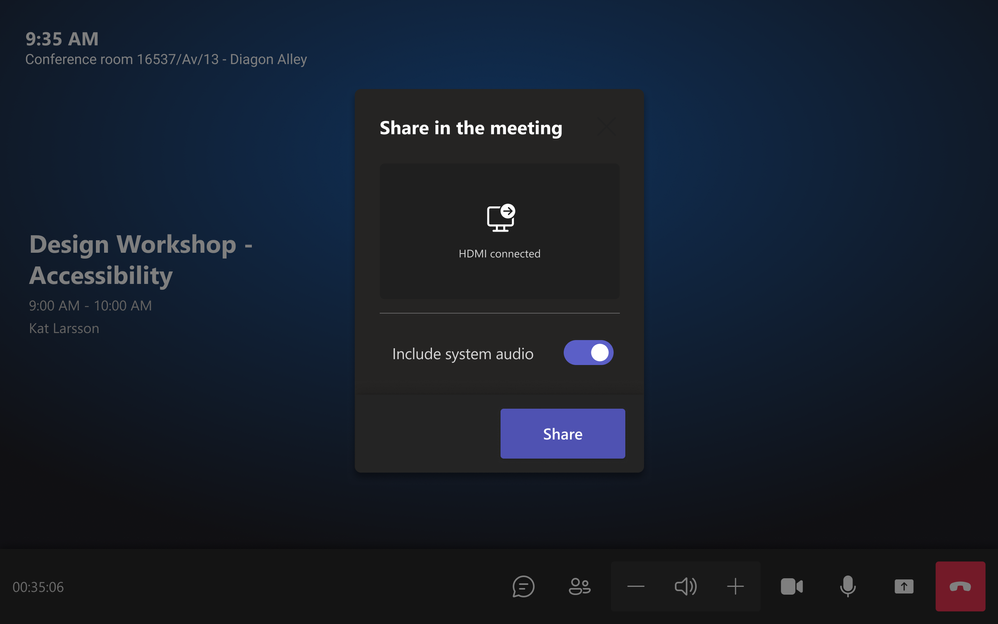
On October 20, Microsoft and Zoom announced Cross-Platform Meeting Connect, a planned extension of Direct Guest Join. Improvements include HDMI sharing, a participant list, readable meeting chat and a layout with content on one screen and participants on the other. Chat is read-only. Support for up to 1080p applies to Teams meetings in Zoom Rooms and depends on the device, network and meeting platform policies. Microsoft gives no release date in the announcement. Read more on Microsoft Tech Community.
Performance improvements for older computers and Android
In an October 21 update, Microsoft reports results from Teams efficiency mode, launched in June. According to Microsoft, Teams can start up to 20 percent faster on resource-constrained computers. The mode activates automatically on computers with slower processors and no more than 8 GB of RAM, but can also be enabled manually. During meetings, camera resolution adjusts to leave more processing capacity for audio.
On Android, Microsoft reports fewer slow frames and memory-related disruptions. A separate improvement to image thumbnails has reduced loading times by around 17 percent in measurements, but remains in private preview ahead of a broader rollout. Read Microsoft’s performance overview.
From a GitHub notification to a code proposal
The October 23 GitHub update builds on the preview we covered in September. The new addition is a workflow starting from a GitHub notification: when an issue or pull request update arrives in Teams, you can reply in the thread and mention @GitHub. Copilot uses the linked issue and discussion as context to investigate a bug, run tests or prepare a pull request, for example.
If you have GitHub Notifications installed, update it to the new GitHub app. The older, separate GitHub app is being renamed GitHub (deprecated) and will be retired on November 16. GitHub’s documentation still marks the Copilot integration as public preview. It requires a paid GitHub Copilot plan and enabled agent access. Microsoft 365 Copilot alone is insufficient. The entire thread is used as context and may be saved in the material the agent creates, so choose a thread whose content can be shared with GitHub. Read Microsoft’s notification workflow announcement and GitHub’s permission and setup requirements.
Sources
Microsoft Teams: August–September roundup, published in October
Video recap: languages, licensing and meeting requirements
Teams Phone Agent: launch announcement, setup and languages, licensing and consumption requirements, custom agents through handoff and direct-dial agents
Queues: administration and licensing, shared call history and user guide
Participant events in the Microsoft Purview audit log and enabling and retaining Teams logs
Cross-Platform Meeting Connect with Zoom
Teams performance update on October 21
GitHub notifications and Copilot in Teams, GitHub’s integration page and setup requirements and preview status