The intranet that's already finished — you make it yours
Employee handbook, procedures, copy on every page, structure and navigation — it's all there, written and thought through. We deliver it into your SharePoint in 2 days. You adapt what's unique to your company, follow our step-by-step guide and launch.




Everyone else starts at 0%.
You start at 80%.
Without a template you spend months figuring out structure, writing copy and building pages from scratch. With us you get an intranet with ready-made content — day one.
- Employee handbook — done Policies, procedures and guidelines that you simply adapt to your company.
- Every page — filled with content No empty pages. Every department has copy and structure from the start.
- A guide that gets you there Step-by-step instructions so you launch quickly and confidently.

Everything you need. Nothing you don't.
We deliver your intranet in 2 days — without you lifting a finger. Your work begins only when everything is in place.

Complete Intranet
Thought-through structure, every page, your logo and colours. Delivered in 2 calendar days.
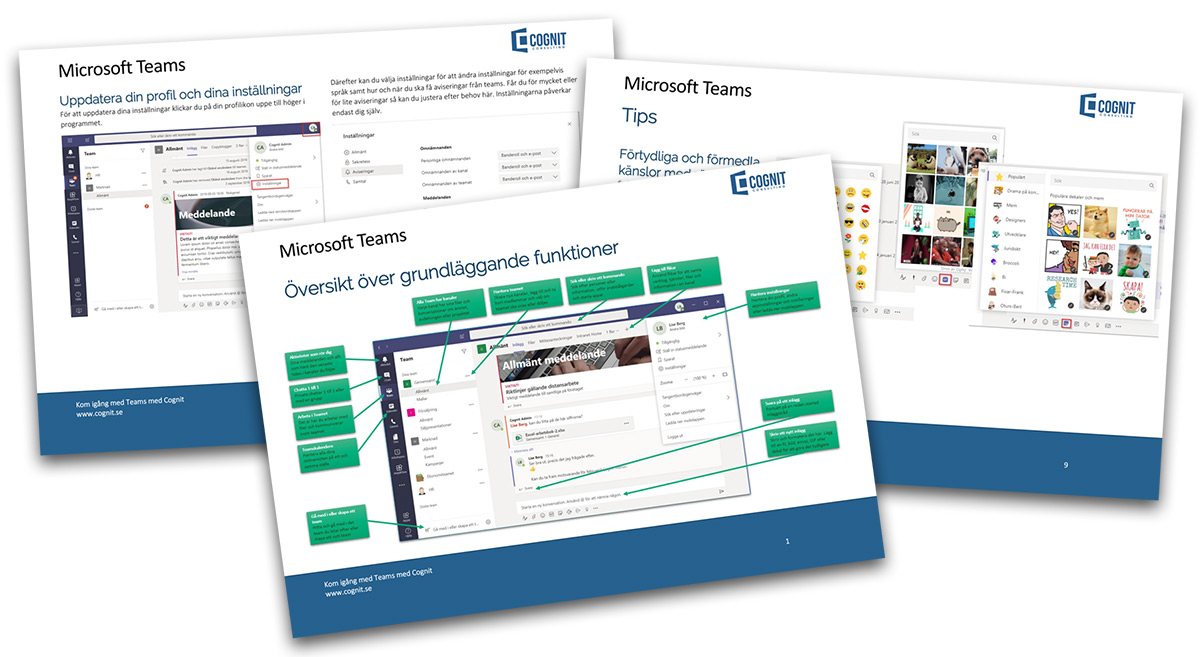
Guides & quick-reference sheets
No prior knowledge needed. Our guides take you all the way to launch.
100% SharePoint
No extra software. Only features from Microsoft. Maximum reliability.
Four steps. Done.
80% of what's on an intranet is essentially the same for almost every company. With our ready-made templates you never get stuck.
Book a demoOrder
You order, we get access to your SharePoint environment. Within 2 calendar days we deliver — without you having to do anything.
Follow the guide
Our step-by-step guide takes you all the way to the finish line.
Customise
Review navigation and pages. Adapt them for your specific company.
Launch
Welcome all employees to the new intranet.
“With Office 365 as the foundation, Cognit helped us develop an attractive and user-friendly intranet. We are very satisfied with the collaboration and the result.”

Fixed price. No surprises.
No monthly fee. No consulting hours. You pay once and own the result.
- Ready-made intranet with all pages and content
- Your logo, your colours, your identity
- Employee handbook, procedures and policies
- Navigation and structure — designed by us
- Step-by-step guide that gets you to the finish line
- Quick-reference sheets so everyone can manage without prior knowledge
- Delivered in 2 calendar days
Built on nearly 20 years of SharePoint intranet experience for Swedish companies.
Frequently asked questions
Answers to the things we get asked most.
How can we get support?
The intranet is built on SharePoint, so your internal IT support can handle the most common questions. If you need more help, we and our partners are available to assist you.
Do we need technical expertise?
No. Our intranet is built so that anyone can manage it. We deliver quick-reference guides and a step-by-step guide that makes it easy to get started.
What advantages does your Complete Intranet have compared to building our own?
You start 80% finished instead of starting with empty pages. That saves months of work, hundreds of thousands in consulting fees, and you don't have to guess what should go on each page.
Can the intranet be customised to our specific needs?
Yes. Since it's built on SharePoint, you can change structure, content, design and features however you like. Our template is the starting point — you make it yours.
Do we need an internal IT department?
No. The intranet is hosted by Microsoft via SharePoint Online. No server of your own, no IT department needed.
How do updates and maintenance work?
Microsoft handles all operations, security and updates automatically via SharePoint Online. You always get the latest features without doing anything yourself.
What kind of training support do you offer?
You get detailed quick-reference guides and a step-by-step guide that lives directly in your SharePoint. The guide walks you through the entire process from delivery to launch — no prior knowledge needed.
Latest articles
Tips, news and guides about SharePoint, Microsoft Teams and Office 365.

New in Microsoft Teams and SharePoint since last time: June 2026
The latest updates since the previous June roundup: a cleaner SharePoint interface, Teams Phone Agent, and Microsoft 365 business apps built on SharePoint.

What's new in Microsoft Teams and SharePoint: June 2026
The June update for Microsoft Teams and SharePoint covers SharePoint Admin Agent, faster Teams performance, Wi-Fi workplace check-in, and new Teams agent features.

What's New in SharePoint: May 2026
SharePoint in May 2026 is mainly about AI Skills entering public preview. The feature makes it easier to save rules, working methods, and reusable outputs directly at site level.
Let's talk.
Fill in the form and we'll get back to you within one business day.
Cognit AB