

Two new features could save time for SharePoint editors and teams that handle calls in Microsoft Teams. Copilot can now change a selected part of a SharePoint page, while Teams Queues adds a shared history of calls that need follow-up.
These are the updates since our previous roundup on 8 September.
Select part of a SharePoint page and describe the change
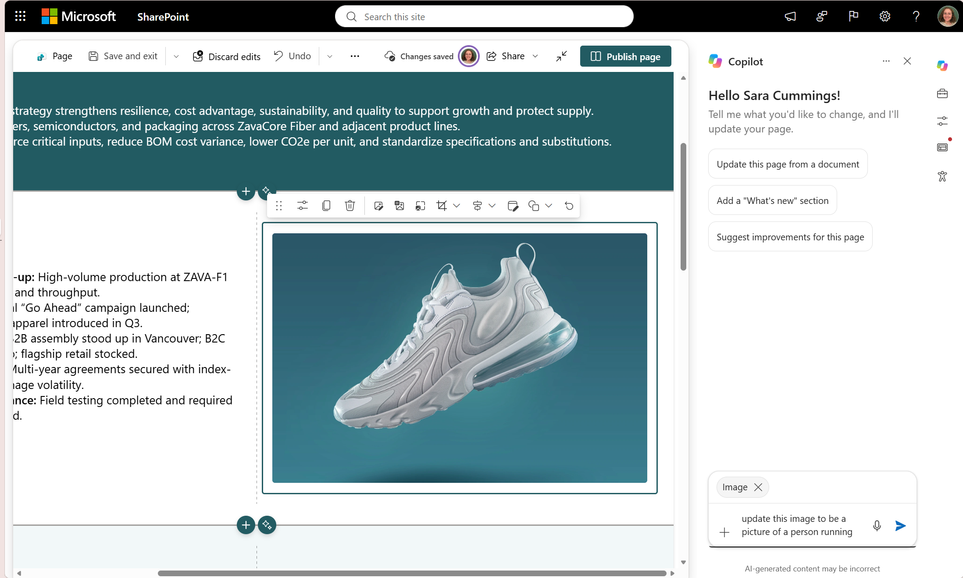
When an editor selects a web part or section, Copilot can see exactly which part of the page needs changing. The instruction can therefore be as simple as “move this to the middle column” or “make this a two-column section”.
Copilot can also replace content that appears in several places, such as a product name. SharePoint highlights every change for review before publishing. The content still uses standard SharePoint web parts, so editors can continue working on the page as usual. Read more on Microsoft Tech Community.
Microsoft is rolling out the feature gradually. Copilot in SharePoint must be enabled, and the editor needs permission to change the page. As with any AI-generated content, check facts, links, accessibility and the mobile view before publishing.
Teams Queues brings calls and follow-up together
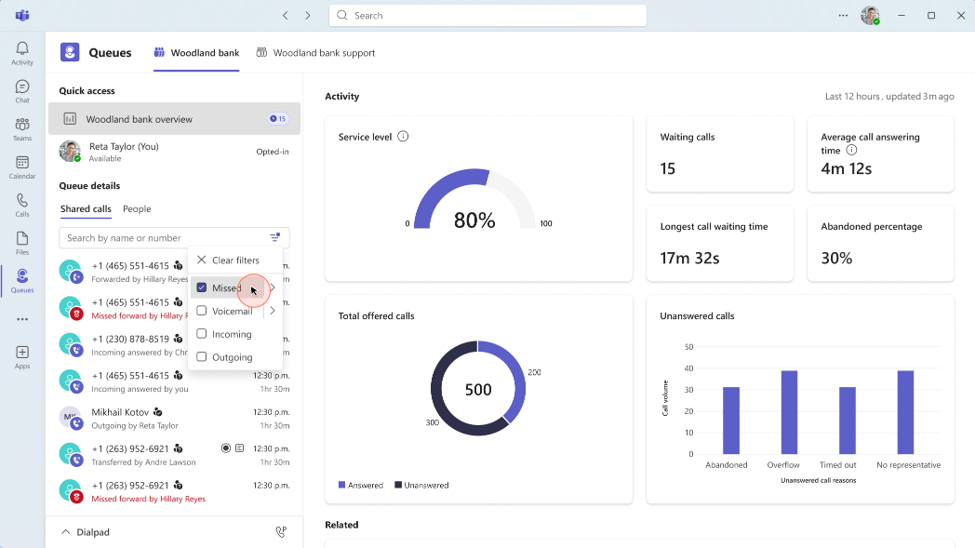
In the Queues app, the whole team can now see missed, incoming and outgoing calls, along with voicemails for the queue. Previously, each representative could only see their own calls. Administrators decide whether everyone in the queue can access the history or only selected users.
Missed calls and voicemails can be marked as unresolved, in progress or resolved. The next shift can then see what remains, reducing the chance of two people following up on the same request. Reports now cover 45 days instead of 30, and authorised team leads can change key queue settings directly in Teams. Read more on Microsoft Tech Community.
Queues is also available in the Teams mobile app. Representatives can stay opted into the queue, review recent calls and return missed calls from their phone. It could suit internal service desks, clinics and local customer service teams whose staff handle calls alongside other work. Queues requires Teams Premium and the Teams and Teams Phone licences specified by Microsoft for each user.
What to check first
Try Copilot on a test page and check exactly what it changes. Before enabling shared call history in Queues, decide who should see it and who may change the settings. Your team should also agree on what unresolved, in progress and resolved mean in day-to-day work.
Sources
SharePoint AI page authoring: Select, describe, and refine
Resolve customer issues faster with Queues app’s collaborative calling for Microsoft Teams