

Microsoft’s June update sits close to two questions many Microsoft 365 customers already face: how to make Teams feel less sluggish, and how to control SharePoint content before Copilot and agents get more responsibility. The concrete updates are SharePoint Admin Agent, faster chat switching in Teams, workplace check-in via Wi-Fi, and more ways to use agents inside Teams.
SharePoint Admin Agent helps administrators regain control

SharePoint Admin Agent is Microsoft’s new administrator assistant for SharePoint content, permissions, and recovery. The agent is built on SharePoint Advanced Management and can be used from the SharePoint admin center, the Microsoft 365 admin center, Teams, or chat. Role-based access controls which administrators can see reports and start actions. Read more on Microsoft Tech Community.
Microsoft splits the work into six steps: assess the current state, structure sites, manage lifecycle, reduce oversharing, review access, and plan recovery. That makes the update most relevant for organizations that want to roll out Copilot department by department, not expose the whole tenant’s content at once.
Teams gets faster when users switch chats

Microsoft says chat switching in Teams became 20 percent faster during the first half of 2026. The improvement comes from changes in how Teams fetches and prioritizes data: it sends the request earlier, combines several data round trips, and prioritizes the content needed for the next view. Read more on Microsoft Tech Community.
Microsoft also reports fewer Teams hangs on macOS and iOS. On macOS, the team changed parts of the app that could previously make Teams stop responding. On iOS, Microsoft points to better handling of background work, less unnecessary interface work, and faster people search. The result should be fewer short stalls in an app many people keep open all day.
Workplace check-in via Wi-Fi cuts manual office updates
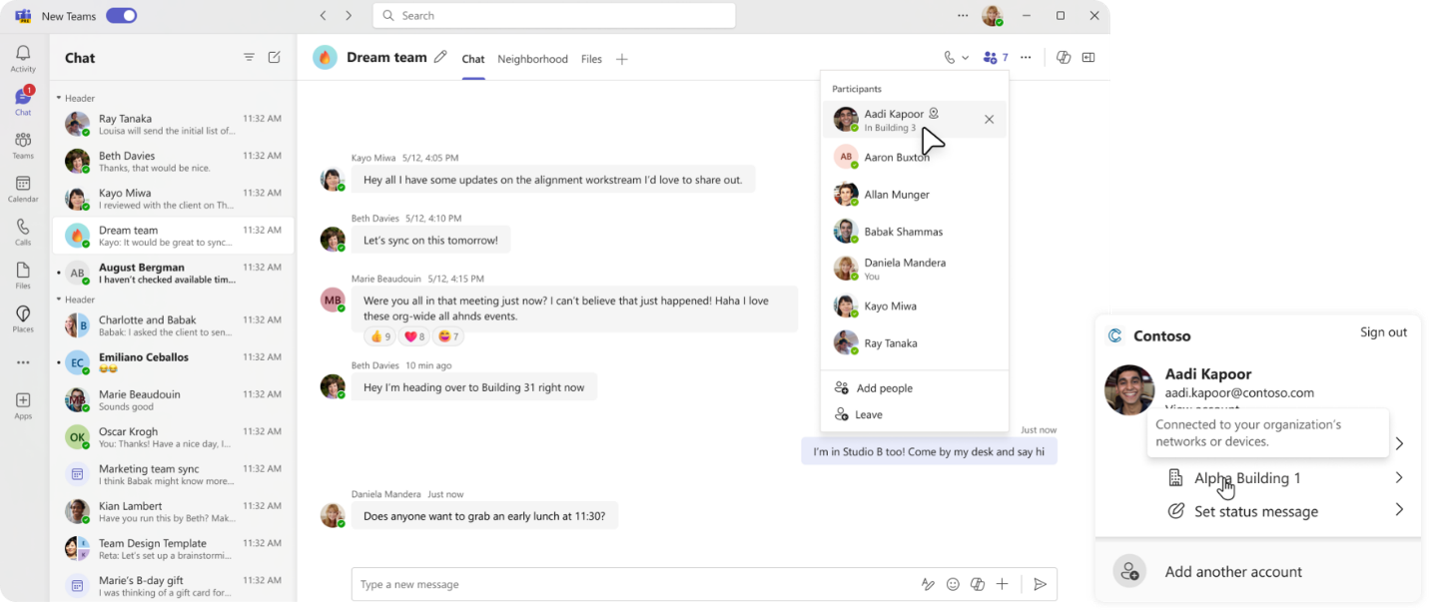
Microsoft Places and Teams are adding workplace check-in via Wi-Fi. When the organization has enabled the feature and the user has chosen to use it, the workplace location can update when the laptop connects to an approved corporate network in the office. Read more on Microsoft Tech Community.
Microsoft describes the feature as a current presence signal, not a record of how someone moves. The user controls the setting, and if the device is not connected to an approved office network, the person is shown as remote. Used well, the feature can make it easier to see which colleagues are in the office, book a desk near the team, or move a meeting into a physical room.
Teams agents get a better place in chat and administration
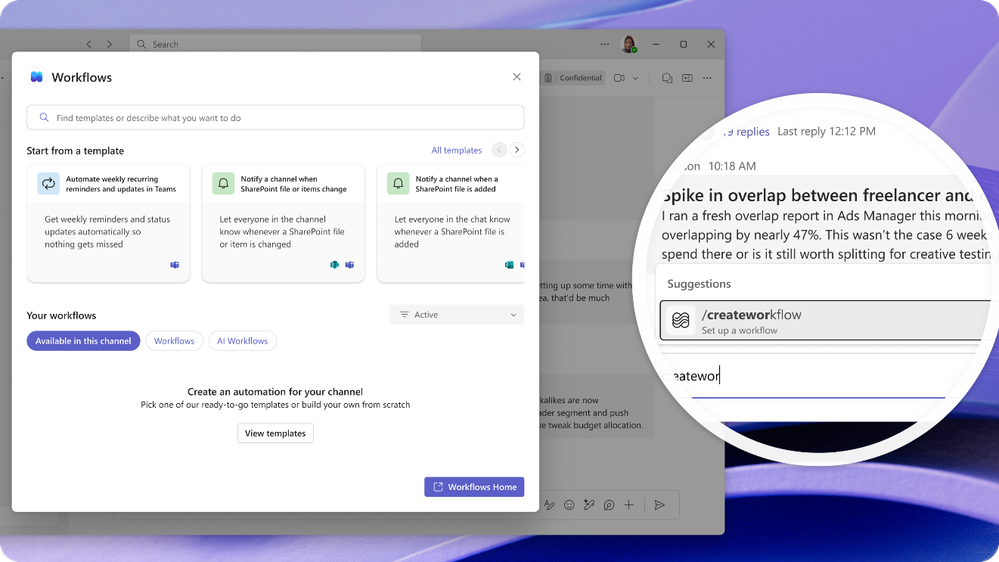
The May Teams update, published around Build, shows how quickly Microsoft is expanding Teams as an agent surface. The update includes slash commands for agents, quoted replies, emoji reactions, a new Teams CLI, and partner agents from Linear, Cursor, and Atlassian Rovo. Read more on Microsoft Tech Community.
For developers, Teams CLI should reduce the work around registration, manifests, and deployment. For users, agents can reply more like participants in a thread, with quoted replies and reactions instead of another message for every acknowledgement. For IT, the key parts are metadata, evaluation scores, app-centric management, and clearer control over which apps and agents the organization can use.
More Teams updates affect meetings, phone, and frontline work
The same Teams update includes more features with direct operational value. AI-generated video recap makes recorded meetings faster to catch up on. Teams Phone adds warnings when a caller may be pretending to represent a bank, IT helpdesk, or Microsoft Support. Users can also report suspicious calls directly from call history.
Teams Rooms gets better room monitoring and automatic fixes for some issues through Teams Rooms Pro Management. Frontline gets smart scheduling in Shifts and more tools for structured updates. These updates are less flashy than the agent news, but often more useful day to day: fewer missed calls, fewer broken meeting rooms, and less manual scheduling.
Sources
SharePoint Admin Agent and SharePoint governance
Workplace check-in via Wi-Fi for Microsoft Places and Teams