

February brings two clear themes from Microsoft: SharePoint gets a range of new tools to simplify business process automation, and Teams extends its infrastructure for large-scale communication with a new events experience, Communities and an AI assistant for frontline workers.
SharePoint turns 25 and gets new automation tools
SharePoint turns 25 in March, and Microsoft marks the anniversary with a global digital event on March 2, 2026. Fittingly, the platform gets a substantial automation update right around the birthday.
The main addition is a new unified Workflows experience that brings automation directly to the content you work with, whether that is a document library or a list. Previously, even simple flows often required a detour through Power Automate. Now you can create and manage workflows directly from SharePoint and Teams without leaving your work context, with ready-made templates that already understand your site and library structure.
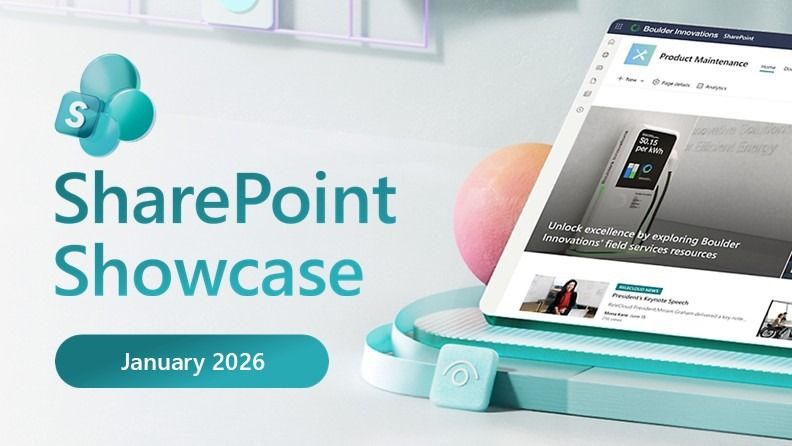
Quick Steps complements this with action buttons right in the grid view of lists and libraries. You can add buttons that execute predefined logic on selected files or list items without custom code: move files, send email to contacts in a person column, update metadata values, or translate files to another language. Conditions control when a button appears, for example only when a file has a certain status. Quick Steps reaches general availability in February.
Approvals got a simpler configuration. A single toggle enables the approval requirement for a library or list, default approvers can be defined upfront, and multi-stage ordering is supported for more structured review processes. Approval status and history appear directly in SharePoint and the Teams Approvals app.
Forms rounds out the package. Forms in SharePoint now lets content owners collect files and metadata through a simple form that triggers automation flows and approvals on submission, so downstream processes start with properly structured data from the start.
Read more on Microsoft Tech Community
SharePoint turns 25
On March 2, Microsoft hosts a global digital event to celebrate SharePoint’s 25th anniversary. The event covers new content AI capabilities, the future direction for content collaboration, and SharePoint’s role as a knowledge platform for Copilot and agents. A live AMA with the SharePoint team follows the broadcast.
Shortly after, March 2-16, Microsoft runs a SharePoint Hackathon open to everyone, focused on building modern employee experiences with SharePoint, Copilot and the latest AI capabilities.
Read more on Microsoft Tech Community
Frontline Agent: AI assistant for frontline workers
Microsoft launches Frontline Agent in public preview, an AI assistant designed specifically for frontline workers in retail, healthcare, manufacturing and hospitality. It is available in Microsoft 365 Copilot under “All agents” and can also be deployed as a chatbot from Teams Admin Center.
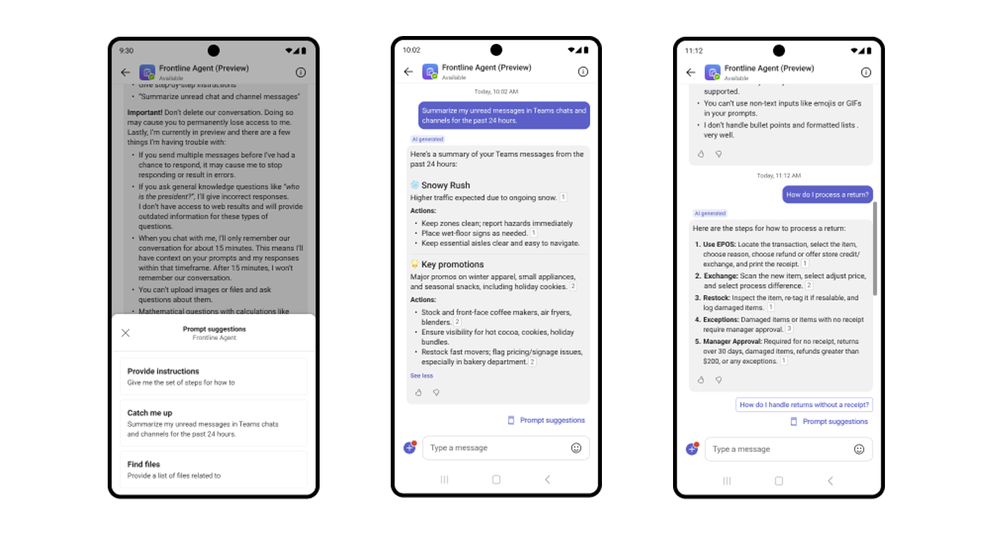
The agent answers questions grounded in the organisation’s SharePoint content and Teams messages without any configuration. A store associate can ask about return policy, a nurse can reference care protocols, and a manufacturing supervisor can get summaries of production line updates. The agent responds in the worker’s preferred language even if the source material is in another language.
Where it differs from generic AI tools is the focus on shift workflows: summarising unread messages, drafting shift handovers, and surfacing action items from the past few hours. That is a different problem from what office-oriented tools are built for.
Read more on Microsoft Tech Community
New events experience and retirement of Live Events
Teams gets a new unified events experience, now in public preview. The hub for events moves to the Meet app, where organizers can create, manage and follow up on events from a single place.
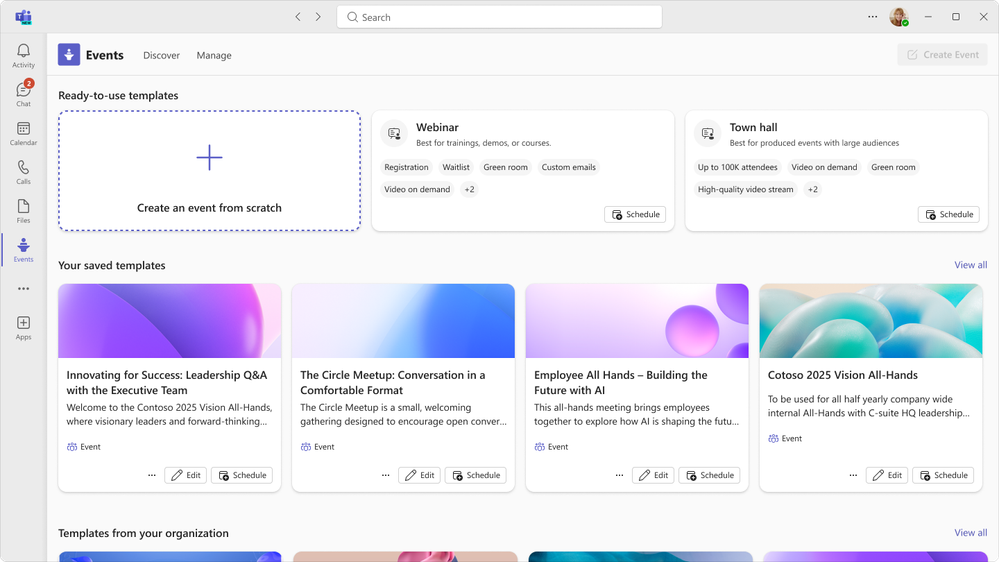
The creation flow logic has changed from selecting a fixed event type to combining the features you actually need: audience interaction, registration control, and scale. A new Discover tab lets attendees find upcoming events and watch recordings of past ones without depending on calendar invitations. Delegate support, custom domains for event emails, and improved co-organizer controls are also added.
In parallel, Microsoft announces that Teams Live Events will be retired on June 30, 2026. Events already scheduled are protected through February 28, 2027. Organisations currently using Live Events should plan migration to the new events experience during spring.
Read more about the new events experience | Read more about Live Events retirement
Viva Engage Communities now in Teams
Viva Engage communities are now rolling out directly in Teams in public preview, appearing in the regular Chat app alongside chats and channels. No migration is required and all existing content, permissions and governance settings carry over automatically.
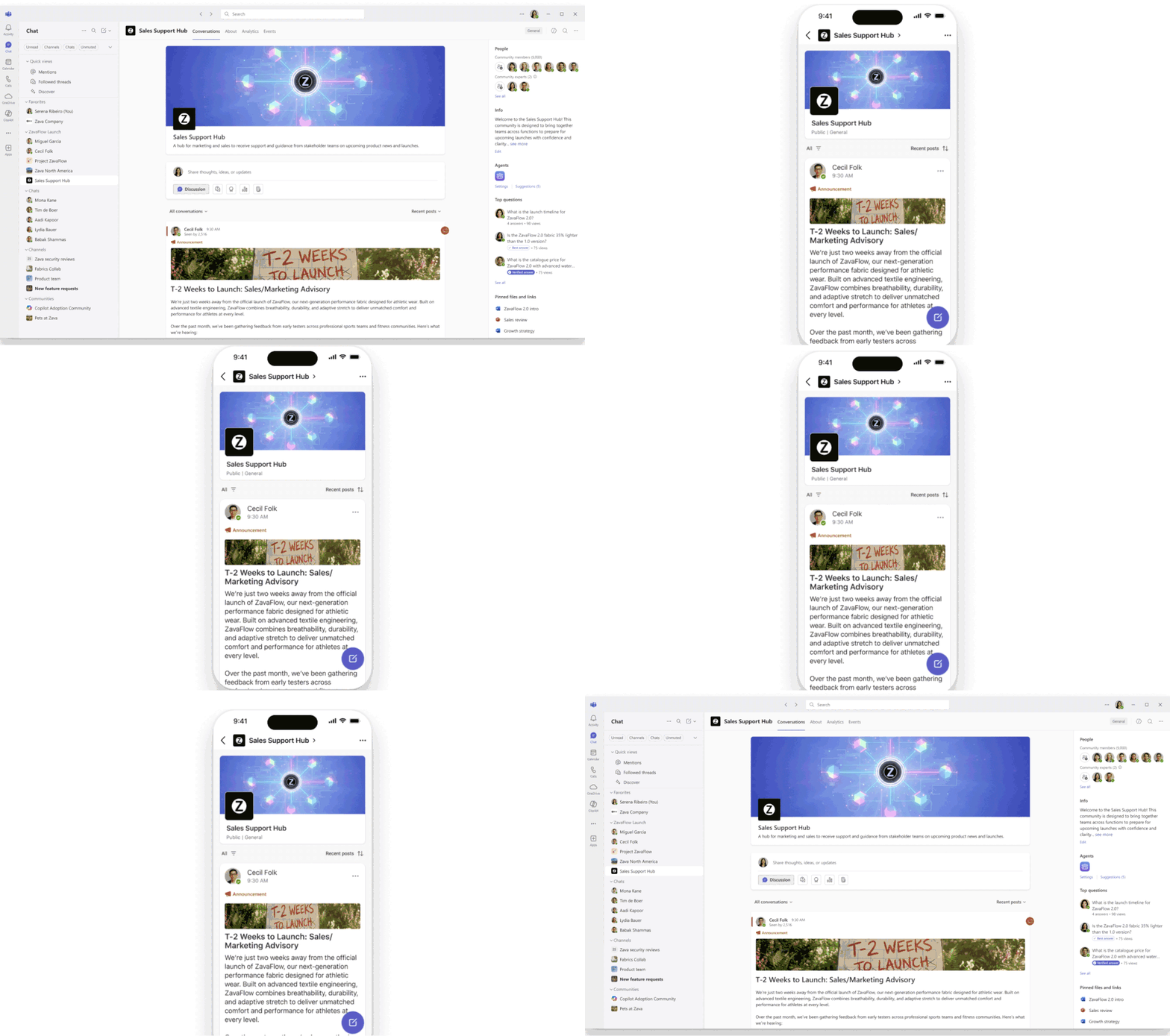
Employees can organize communities into custom sections, follow feeds, react and create posts using Teams-familiar interaction patterns. Updates and @mentions flow into the Teams Activity tab. A community agent in preview reviews open questions and generates suggested answers based on existing organizational knowledge, which a community admin can then approve.
Public community content also contributes to the grounding sources that Microsoft 365 Copilot can reference when employees ask questions across Microsoft 365 apps.
Read more on Microsoft Tech Community
Licensing changes for Teams and Microsoft Places
From April 1, 2026, town hall, webinar and advanced event capabilities are included in all Teams Enterprise licences, with no Teams Premium requirement. Microsoft also launches an Attendee Capacity Pack for organisations that need to scale events to 100,000 participants.
Microsoft Places, the hybrid workplace planning tool, also gets expanded availability through updated licensing terms.
Read more on Microsoft Tech Community
Sources
- SharePoint Showcase: Automation updates for smarter workflows & business processes
- Join us for the SharePoint at 25 Birthday Event
- Frontline Agent: An Out-of-the-Box AI Assistant for Every Frontline Teammate
- What’s New in Microsoft Teams | January 2026 – ISE Edition
- Microsoft Teams events: A new unified experience makes it easier to discover, create, and manage events
- Retiring Teams live events: The next chapter for events at scale in Microsoft Teams
- Introducing communities in Teams: Unifying company communication and connection
- Licensing updates extend access to advanced capabilities in Microsoft Teams and Microsoft Places
- Smarter Shifts Start Here: Reimagining Retail Frontline Experiences